

PLATFORM COMPARISON

MYOB Exo vs Wiise: Is hosted Exo enough, or is it time to move on? 

Hosting Exo in AWS or Azure changes where the server sits, not how your team works. The real difference is what happens after a transaction is entered.

Both support finance, inventory and operations for mid-market Australian and New Zealand businesses, whether Exo runs on your own server or a hosted one. Here's where they differ.
hero-product-frame

HAVE YOU OUTGROWN EXO?

Is MYOB Exo still the right fit as your business scales?

MYOB Exo has been a reliable ERP for mid-market ANZ businesses for many years. Plenty of those businesses have already moved it off-site, into AWS, Azure or a partner's private cloud. But hosting Exo doesn't change what it is: a client-server application your team reaches through a remote desktop window. The limits that show up as you scale are the same wherever the server sits.

Moving Exo to the cloud solves where it runs. Moving to Wiise changes how your team works. Businesses start evaluating alternatives when:

Upgrades require planning cycles, downtime, and IT resourcing to test and troubleshoot
Remote or multi-site access depends on VPNs, RDS, or a separately hosted add-on
Server sizing, SQL Server licensing, and collation configuration sit on your internal IT team (or your hosting provider's invoice) 
Scaling to more users or sites means provisioning more infrastructure, not just more licences
IT wants out of hardware and server management entirely
Heavy customisation ties the business to a specific expert, or a small group of people who know the system

Payroll needs replacing now that MYOB has retired Exo Payroll

Maintenance costs start to add up, surfacing questions about long-term value

Reporting, approvals and data clean-up still run through exported spreadsheets and email chains

WIISE VS MYOB EXO AT A GLANCE

What's the difference between MYOB Exo and Wiise?

 
MYOB Exo
On-premise or hosted
Wiise
The cloud-native platform
Deployment
✕
On-premise or hosted
Runs on your own servers or hosted in AWS, Azure or a partner cloud; either way, a client-server app on Windows Server
✓
Cloud-native SaaS
Cloud-native SaaS, hosted in Microsoft's Australian Azure data centres
Infrastructure
✕
You manage it
Runs on Microsoft SQL Server (2019/2022); customer manages sizing, patching, backups
✓
Managed for you
Managed entirely by Microsoft and Wiise; no server to provision or maintain
Remote access
✕
Through a remote desktop
Requires VPN or Remote Desktop Services (RDS/Citrix), even when hosted; or MYOB's ExoHosted add-on
✓
Straight from a browser
Native browser access from anywhere, on any device
Upgrades
✕
Planned upgrade projects
Manual, planned upgrade cycles; risk to customisations and integrations
✓
Continuous updates
Continuous cloud updates, included in subscription
Pricing model
✕
Modular licensing + ALF
Modular per-user licensing + separate annual licence fee (ALF) + implementation/support fees
✓
All-inclusive subscription
Per-user subscription (Full User, Team Member, Device tiers), all-inclusive
Cost of continued maintenance
✕
Ongoing and separate
Server upkeep or hosting fees, SQL Server licensing, patching and partner-supported upkeep, on top of the annual licence fee (ALF)
✓
Included
Included in subscription — no server maintenance, patching or separate maintenance contract
Microsoft 365 integration
✕
Export and re-import
Data moves to Excel as static CSV exports or through ODBC connections
✓
Built in
Edit and publish data live in Excel, quote from Outlook, approve in Teams, with Power BI embedded
AI assistance
✕
Not part of the core product
No built-in Copilot-style assistant
✓
Microsoft Copilot included
Bank reconciliation matching, sales line suggestions and natural-language questions, delivered through regular updates


SYSTEM STRUCTURE + WHO MAINTAINS IT

How the system is structured shapes who carries the work

Both systems can record an invoice. Wiise then connects, automates and reports on it in real time, where Exo leaves your team to bridge the gaps with spreadsheets and add-ons. Underneath, the difference is who keeps it all running.

MYOB Exo
What your team runs and maintains
Windows Server
Microsoft SQL Server
Database collation config
Backups & patching
VPN / Remote Desktop Services
ExoHosted (optional)
Hosted in AWE / Azure / partner cloud (optional)
Where it runs
Your servers, or a hosting provider's, the same client-server app either way
Who maintains it
Your IT team or hosting provider, plus an implementation partner
Getting to it remotely
An additional layer — VPN, RDS or ExoHosted
Wiise
What Microsoft and Wiise run for you
Microsoft Azure (Australia)
Encryption & MFA
ISO 27001 / ISO 27017
Continuous updates
Browser access
Where it runs
Microsoft's Australian Azure data centres
Who maintains it
Microsoft and Wiise, as part of the subscription
Getting to it remotely
A browser — nothing else to stand up

WHERE THEY DIVERGE
Five places the two platforms pull apart


Infrastructure & IT overhead

Who manages the servers — you, or the platform? This is the question that separates Exo and Wiise more than any feature list.

MYOB Exo

Runs on infrastructure you own. That means a Windows Server, Microsoft SQL Server (Express edition isn't viable beyond a single user), and a specific database collation setting that must be configured correctly for the system to function. Because the system is typically customised for each business, ongoing support tends to run through a specific implementation partner or a small number of internally skilled staff — which can make it harder to find support, upskill new team members, or switch providers without disruption. Remote or offsite access typically means standing up Remote Desktop Services, or paying for MYOB's ExoHosted service to bridge the gap.


Hosting Exo in AWS or Azure moves those servers off-site, but someone still sizes, patches and pays for them — it changes who owns the hardware bill, not what the system can do.

Wiise

Runs on Microsoft's Australian Azure infrastructure, secured with encryption and multi-factor authentication, and certified against ISO 27001 and ISO 27017. There's no server to size, patch, or back up — that's handled as part of the platform.


Upgrades & future-proofing

What happens when it's time to upgrade?

MYOB Exo

Upgrades are planned events. They typically involve testing, scheduled downtime, and a real risk that customisations or integrations built up over time won't carry cleanly into the new version. IT teams often need to allocate dedicated time for this work outside normal operations. The longer a business stays on an older version with more customisation layered on top, the more disruptive that eventual transition tends to be.

Wiise

Still moves to new versions over time, but as part of Microsoft Dynamics 365 Business Central's continuous update model rather than a major upgrade project — no scheduled downtime, no separate implementation cycle. Each update brings new features and compliance changes with it, so functionality keeps moving forward, unlike a system where staying on an older version also means missing out on what's new.

Worth noting: MYOB retired Exo Payroll (Exo Employer Services) in November 2025, and positions MYOB Acumatica (formerly MYOB Advanced) as its cloud platform for the future. Exo Business itself is still supported, but customers face a reimplementation project eventually, whichever cloud platform they move to.
 

Mobility & remote access

Can your team access the system from anywhere?

MYOB Exo

Built for on-site or VPN-connected use. Field teams, remote staff or multi-site businesses need additional infrastructure (RDS, ExoHosted) to get browser-like access.

Wiise

Accessed natively through a browser, on desktop or mobile, from any location — no VPN or remote desktop layer required. The Wiise Warehouse OnTime app extends this to floor and field operations for picking, packing and stock updates.


Performance at scale

Will it still be fast when you're twice the size? As transaction volumes, users and entities grow, does the platform keep up or start to slow down?

MYOB Exo

Performance is bounded by the server it runs on. As data, history and concurrent users build up, keeping speed means going back to the infrastructure — more RAM and CPU, faster storage, SQL Server tuning, and more RDS session capacity for remote staff. Growth becomes a hardware project with its own budget and lead time.

Wiise

Runs on Microsoft Dynamics 365 Business Central — cloud infrastructure built to scale with you. Growing your volumes doesn't mean re-sizing a server in your comms room, so speed holds up as the business gets bigger.

The gap isn't just where the system runs — it's what it can do once you're in it.


Working in Microsoft 365

Does your ERP work inside the tools your team already lives in — or does data have to be exported to get there?

MYOB Exo

Getting data in and out usually means static CSV exports, ODBC connections or report builders sitting outside the system. Spreadsheets become the working copy, and changes are keyed back in by hand. Approvals run through email chains or custom triggers, and reporting relies on Clarity layouts or third-party tools.

Wiise

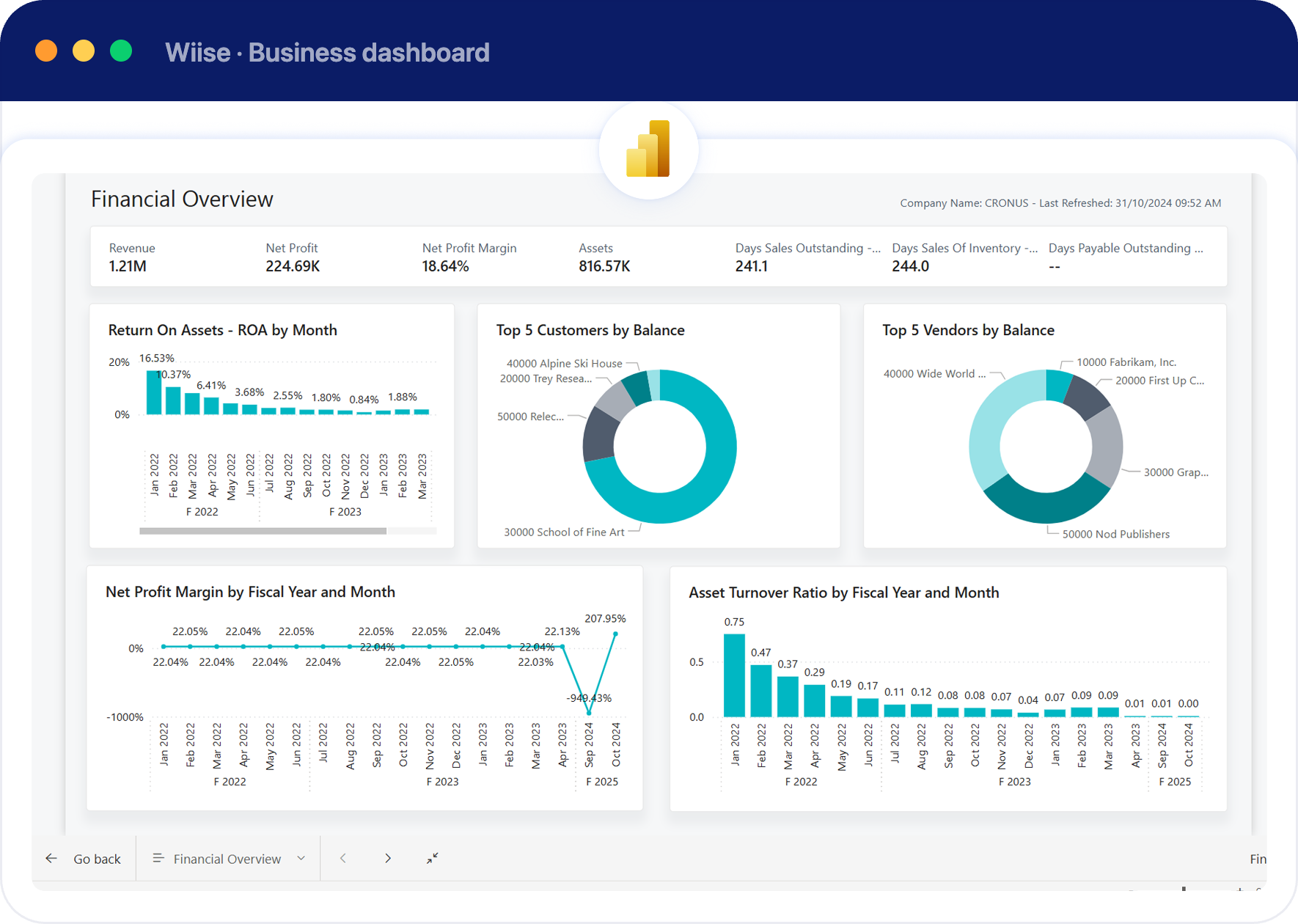
Wiise works natively with Microsoft 365. Open a list in Excel, update hundreds of rows with the formulas you already use, and publish the changes straight back with full validation. In Outlook, staff see a customer's balance and history beside their email and can raise a quote without opening Wiise. Approvals can run through Teams and Power Automate, and live Power BI reports sit on each user's home screen.

So how much can the system actually handle?

Here's a normal day on Wiise — anonymised production telemetry from Microsoft, across live Business Central businesses. Whether you're processing a hundred transactions a day or half a million, Wiise scales to match.

Journal lines
256,000
posted in a single day
Sales invoices
52,500
in a day — 2.6M lines
Sales orders
8,000
created in a single hour
And Microsoft is explicit: these are everyday figures, not the platform's limit. Source: Microsoft — Service scalability for Business Central online. Source: Microsoft. 

BUILT-IN INTELLIGENCE

Microsoft Copilot is built into Wiise and improves with every update, with no separate AI project to run. Exo has no equivalent in its core product.

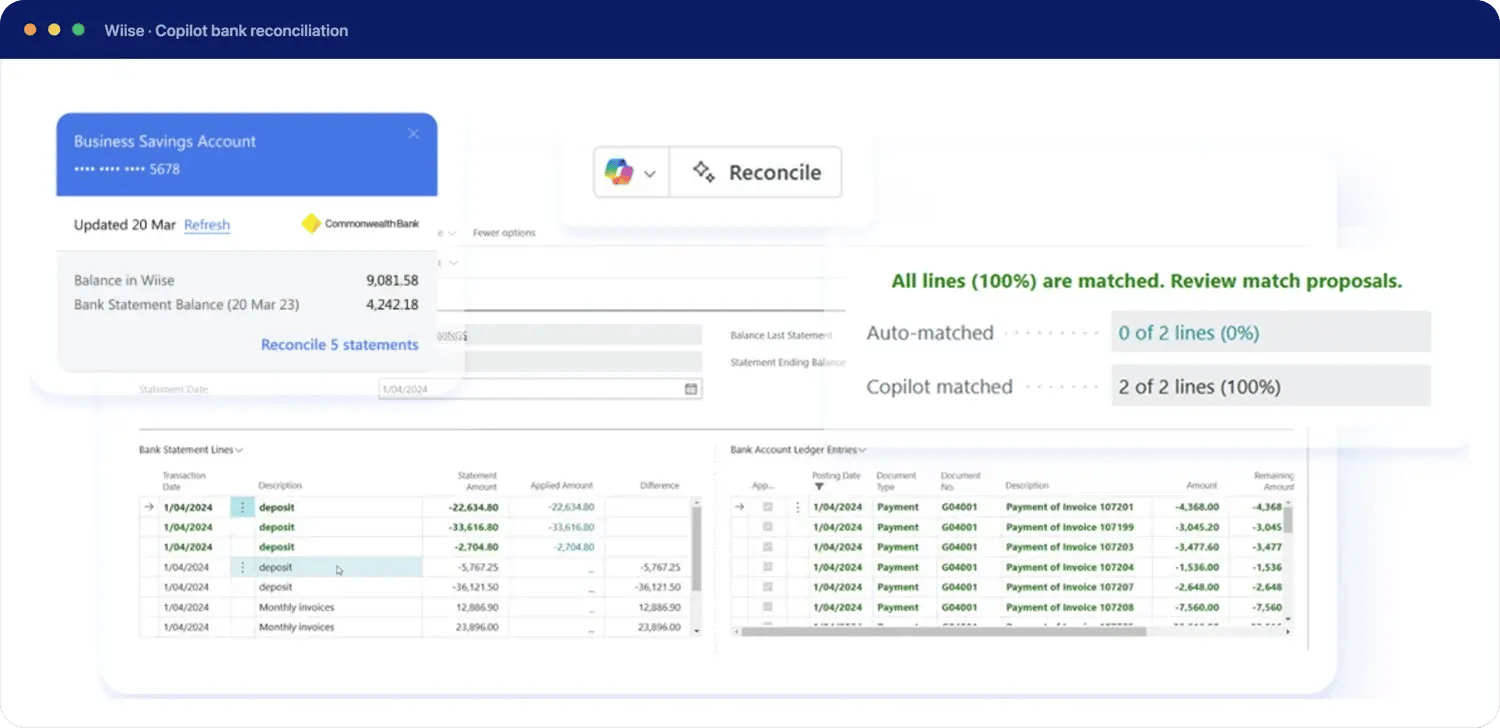
  • Bank reconciliation: Copilot matches statement lines to open invoices and ledger entries, even when reference text is messy or cut short

  • Plain-English questions: ask which customers have overdue invoices over $10,000, without building a report or waiting on a consultant.

  • Sales line suggestions: Copilot drafts sales order lines based on a customer's order history. 

  • Late payment prediction: flags receivables likely to be paid late, so credit control can act early.

bank-recon-v2


COST STRUCTURE

How does pricing actually compare?

MYOB Exo uses a modular pricing model, where businesses buy the modules they need, licensed per user, with implementation, support and maintenance quoted separately. On top of this sits an annual licence fee (ALF) that funds ongoing development and compliance updates. Because Exo is a customised, on-premise deployment, even smaller implementations are typically quoted at 100+ hours of consulting work.

Wiise is priced as a per-user cloud subscription:

Plan
Price (AUD/month, ex GST)
Includes
Business
$158 / Full User
Accounting, inventory, warehousing & distribution, CRM, projects & job costing
Premium
$210 / Full User
Everything in Business, plus manufacturing and service management
Team Member
$23.50 / user
Limited-access licence for occasional users
Device
$84 / device
Shared-device licensing (e.g. warehouse terminals)

There's no separate annual licence fee, no cancellation charge, and pricing includes ongoing updates. See full Wiise pricing →

Independent research found Wiise customers see:

172%
ROI
18%
productivity improvement
$245k
in labour cost savings on average
Read the full report →

WHICH FITS YOUR BUSINESS?
There's a right time for each platform

When might MYOB Exo still be the right choice?

Your business has an established internal IT team that prefers to own infrastructure directly
You operate under compliance or data-hosting policies that specifically require on-premise control
Your current Exo setup is heavily customised and stable, with no near-term need to change

When businesses choose Wiise

IT wants out of server management, patching and upgrade projects entirely
You've already hosted Exo in the cloud, but workflows still depend on spreadsheets and manual double-handling
Teams need real remote or multi-site access without VPN or RDS overhead
You want your ERP working inside Outlook, Excel and Teams, not alongside them
The business wants continuous updates instead of planned upgrade cycles
Leadership wants predictable, all-in subscription pricing rather than ALF + consulting cost structures
The business wants a modern, scalable platform that keeps gaining new capabilities — including AI — without a separate upgrade project each time

MOVING FROM MYOB EXO TO WIISE

What does migrating from Exo to Wiise involve?

Migration complexity depends on how customised the current Exo environment is. Talking it through usually covers:


1 Which Exo modules and customisations are currently in use
2 What data needs to move — customers, suppliers, inventory, transaction history
3 Which connected systems or add-ons need to be replaced or integrated
4 Whether existing processes should be replicated as-is or redesigned
5 Reporting, approvals and audit trail requirements in the new system

SEE HOW WIISE WORKS

Move beyond hosted Exo

Whether Exo runs on your own server or a hosted one, talk to the
Wiise team about what a move to cloud ERP would look like.


FAQs

Is MYOB Exo cloud-based or on-premise?

MYOB Exo is an on-premise ERP system. It runs on a Windows server with Microsoft SQL Server, either on the business's own hardware or hosted in AWS, Azure or a partner's private cloud. MYOB also offers ExoHosted for remote access. In every case the core system is a client-server application, not a cloud-native SaaS platform.

What is the difference between Wiise and MYOB Exo?

MYOB Exo is an on-premise ERP requiring owned or privately hosted server infrastructure, manual upgrade cycles, and VPN or Remote Desktop Services for remote access.

Wiise is a cloud-native ERP built on Microsoft Dynamics 365 Business Central, accessed via browser from anywhere, with infrastructure, security and upgrades managed as part of the subscription.

Is hosting MYOB Exo in AWS or Azure the same as cloud ERP?

No. Hosting Exo in AWS, Azure or a private cloud moves the server off-site, but the software is unchanged. Users still reach it through Remote Desktop Services or Citrix, upgrades are still planned projects, and it doesn't gain native Microsoft 365 integration or built-in AI. A cloud-native ERP like Wiise runs in the browser, updates continuously, and has Copilot and Microsoft 365 built in.

Is Wiise a replacement for MYOB Exo?

Yes. Businesses running MYOB Exo evaluate Wiise when they want to move off on-premise infrastructure, reduce IT overhead from server management and manual upgrades, or need better remote and multi-site access than Exo's on-premise architecture supports.

How much does MYOB Exo cost compared to Wiise?

MYOB Exo uses modular, per-user licensing plus a separate annual licence fee (ALF), with implementation and support quoted separately — typically requiring 100+ hours of consulting even for smaller deployments.

Wiise is priced as an all-inclusive per-user subscription starting at $158 AUD/month for a Full User on the Business plan, with no separate annual licence fee.

Can MYOB Exo be accessed remotely?

Yes, but not natively. MYOB Exo requires a VPN connection, Remote Desktop Services (RDS) on a Windows Server, or MYOB's ExoHosted add-on to provide remote access. This differs from cloud-native platforms like Wiise, which are accessed directly through a browser without additional infrastructure.

How long does it take to migrate from MYOB Exo to Wiise?

Implementation timelines depend on the complexity of the current Exo environment, including how customised it is and how many systems are connected to it. Wiise implementations typically span 6–9 months when working with an accredited ERP implementation partner.

Isn't MYOB Acumatica the natural upgrade path from Exo?

MYOB positions MYOB Advanced/Acumatica as Exo's cloud successor, but moving to it still means a full reimplementation — the same scale of project as moving to any other platform. Since Exo customers face that transition either way, many use the opportunity to evaluate alternatives like Wiise rather than assuming MYOB's own cloud product is the default path.

What's happening to MYOB Exo Payroll?

MYOB retired Exo Payroll (Exo Employer Services) in November 2025. Pay runs can no longer be processed in it, and it no longer receives tax rate and threshold updates. MYOB Exo Business, the ERP, has not been given an end-of-life date. Wiise includes native Australian and New Zealand payroll with Single Touch Payroll compliance.